Upload widget for developers · Open source · Free tier
Let users upload from their phone into your web form.
CrossUpload puts a QR code next to the file input on your website. Your user scans it, picks a photo or document on the phone, and the file appears in the form on their computer, type-checked, virus-scanned and handed to your backend as a file ID. You add one script tag and one API call.
Start free Self-host it (open source) Read the docs
Free plan: 100 accepted uploads a month, no card. Or run the open-source core on your own server with npm install.
It lands in your form.
One script tag in the page, one API call from your backend. We host the phone page, store and scan the file, and hand your form a verified file ID.
Your backend decides what is allowed: file types, size and count, per project or per session through the API.
Upload a file
Allowed by your backend: PDF, JPG, PNG, HEIC, up to 10 MB each
Scan with your phone to add a file.

 passport-photo.heic, from phone, 2.1 MB
File added
See it in action
One short video: what your users do, the code you add, and how your backend stays in control of what gets uploaded.
From six steps to two
Without a phone option, users have to move the file to the computer first and then find it again. With CrossUpload they scan the QR code and send it straight to your form.
Without CrossUpload


- 1Open a messenger or email on the phone
- 2Send the photo to yourself
- 3Open the chat on the computer
- 4Download the (compressed) file
- 5Find it in the Downloads folder
- 6Upload it to the form
With CrossUpload
- 1Scan the QR code with the phone camera
- 2Pick the file and tap Send
The user continues and submits as usual.
Why this works
Built for developers. Add it in three steps.
- 1
Create a project
Sign up, add your site’s origin and create a server API key. Set the project’s default file types and size limits.
- 2
Add a session endpoint
Your backend calls
POST /v1/sessionswith its secret key. PassallowedTypes,maxFileSizeandmaxFilesto decide, form by form, what users may send. - 3
Attach the widget
One script tag and
CrossUpload.attach()on your existing button. Accepted file IDs land in a hidden field.
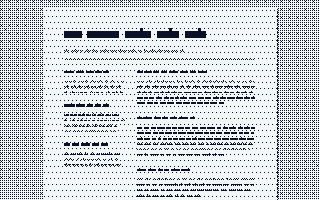
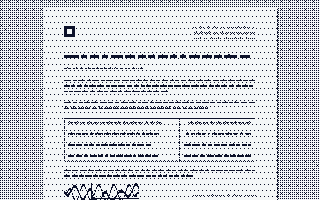
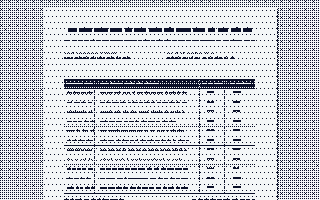
<button type="button" id="upload">Upload a file</button><input type="hidden" id="attachments" name="attachment_ids" value="[]"><script src="https://app.crossupload.com/v1/widget.js"></script><script> CrossUpload.attach({ target: '#upload', mode: 'picker', sessionEndpoint: '/api/crossupload/session', resultInput: '#attachments', maxFiles: 3, onComplete({ files }) { console.log(files); } });</script>CrossUpload.attach({ target: '#upload', mode: 'picker', sessionEndpoint: '/api/crossupload/session', resultInput: '#attachments', maxFiles: 3, onComplete({ files }) { console.log(files); }});Made for forms that ask for documents





Security is the default, not an add-on
Files upload straight to private quarantine storage with short-lived, narrowly scoped credentials. A background worker checks the real file type, scans it with ClamAV, and promotes the exact verified version to an immutable delivery copy. Only then does your form see it.
- Single-use, expiring QR pairing
- Separate credentials for server, desktop and phone
- HTML, SVG and executables rejected by default
- Private files: your backend downloads with its key
- Signed webhooks with retries
Open source. Run it on your own server.
The core of CrossUpload, the widget, the QR pairing, the phone page, live delivery to the desktop and file-type checks, is open source under the MIT license. Clone it, run npm install and it works on your machine. Prefer not to run servers? The hosted service adds virus scanning, private S3 storage, webhooks, a dashboard and a free tier.
git clone https://github.com/uurtech/crossuploadjs.git
cd crossuploadjs
npm install
npm start # http://localhost:4000Simple pricing. Only accepted files count.
Opening the picker, scanning a QR code, retries and rejected files are free.
- Free$0/mo100 accepted files/month10 MB per file7-day retention
- Starter$19/mo2,000 accepted files/month25 MB per file30-day retention
- Pro$49/mo10,000 accepted files/month50 MB per file90-day retention
- Business$149/mo50,000 accepted files/month100 MB per file180-day retention
Give your users the shortcut. Ship it this afternoon.
The Free plan includes 100 accepted uploads a month, no card needed. Questions? Write to cloud@crossupload.com.
Create a free account